AI Video Analysis: How to Analyze Any Video for AI Recreation
You find a video you want to recreate. Maybe it's a cinematic product commercial. Maybe it's a fashion sequence, a surreal AI-generated scene, a dramatic short film, or a simple social media video with a visual style you want to reproduce.
AI Video Analysis: How to Analyze Any Video for AI Recreation
You find a video you want to recreate.
Maybe it's a cinematic product commercial. Maybe it's a fashion sequence, a surreal AI-generated scene, a dramatic short film, or a simple social media video with a visual style you want to reproduce.
You watch it several times.
You notice the subject.
You notice the camera.
You notice the lighting.
But when you try to recreate it with an AI video generator, the result looks completely different.
Why?
Because watching a video and analyzing a video are two different things.
A reference video contains far more information than its visible subject.
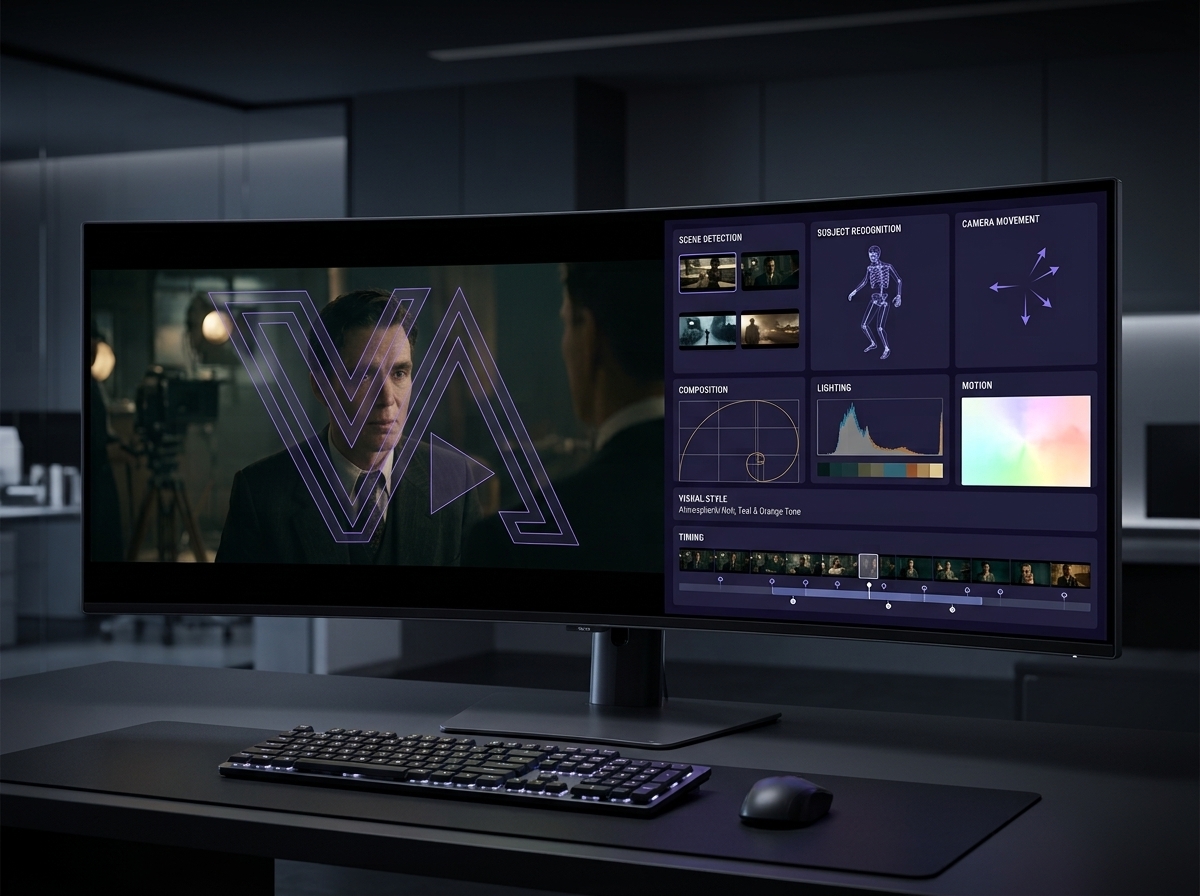
It contains camera decisions, movement, composition, timing, lighting, environment, visual style, transitions, and dozens of small details that influence the final result.
This is where AI video analysis becomes useful.
Instead of simply asking an AI model to "describe the video," you can use AI to break the reference down into the visual decisions that actually make it work.
And that analysis can then become the foundation for a much stronger AI video prompt.
What Is AI Video Analysis?
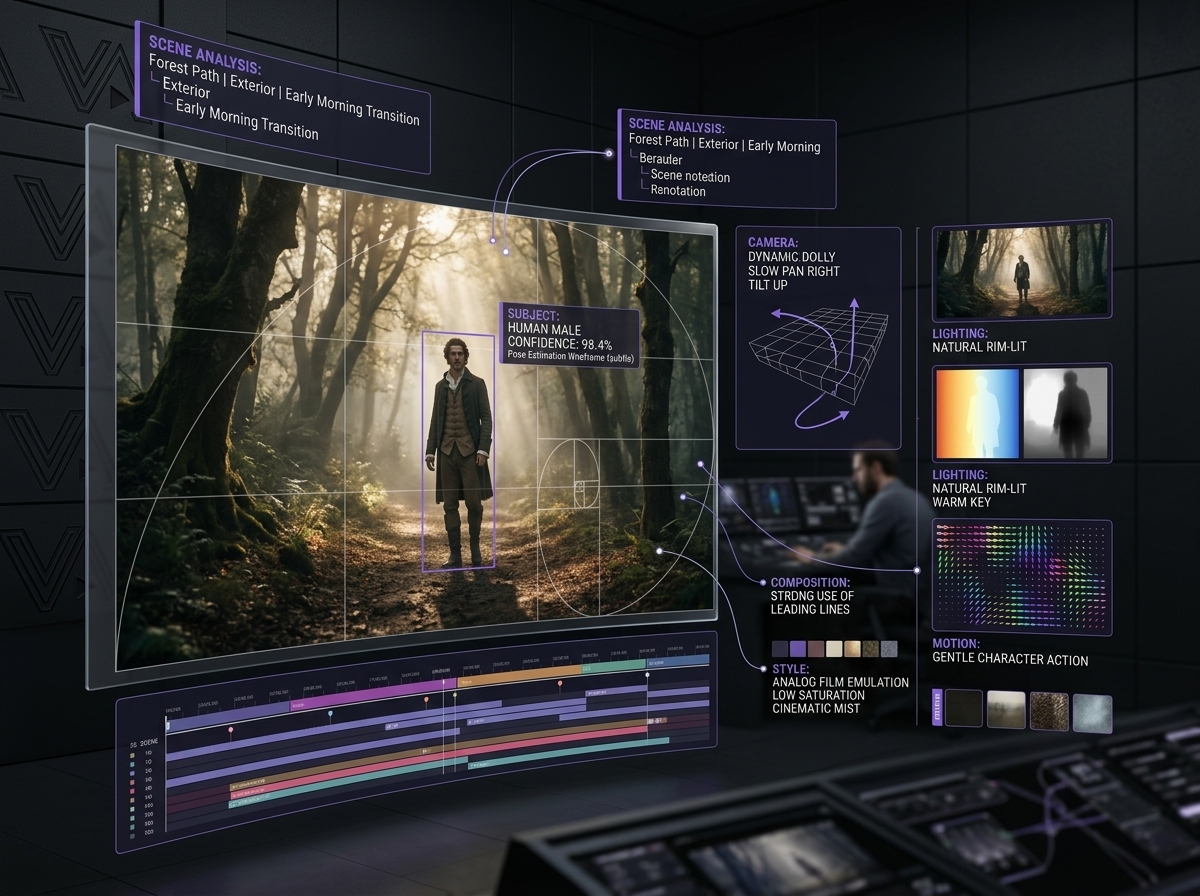
AI video analysis is the process of using artificial intelligence to examine a video and extract meaningful information from its visual and temporal content.
Depending on the system, this can include identifying:
Subjects and objects
Environments
Individual scenes and shots
Camera angles
Camera movement
Composition
Lighting
Colors
Motion
Actions
Visual style
Transitions
Timing
Atmosphere
Important visual details
The goal isn't simply to produce a transcript of what happens.
The goal is to understand how the video is constructed.
For AI video recreation, that distinction is extremely important.
A weak analysis might say:
"A woman walks through a city at night."
A more useful analysis might identify the subject, location, framing, camera movement, lighting, atmosphere, walking direction, background activity, lens characteristics, and the timing of the shot.
The second description gives a video-generation model considerably more information to work with.
Why Analyzing a Reference Video Is So Difficult
Humans are surprisingly good at recognizing the overall feeling of a video.
You can watch a five-second clip and immediately think:
"This looks cinematic."
But "cinematic" isn't one visual property.
It's the result of many individual decisions working together.
Consider a simple shot of a person walking down a street.
The visual result can change dramatically depending on:
Whether the camera is stationary or tracking
Whether the shot is wide or close
Whether the subject is centered
Whether the camera moves alongside or behind them
The direction and speed of movement
The lighting source
The color temperature
The depth of field
The background environment
The time of day
The lens perspective
The pacing of the shot
This is why simply describing the subject often produces disappointing results.
The subject is only one layer of the video.
The Key Elements AI Should Analyze
A useful AI video analysis workflow should break the reference into several layers.
1. Scene and Shot Structure
First, determine what actually happens throughout the video.
A video might contain:
One continuous shot
Several camera shots
Multiple locations
Different subjects
Changes in camera perspective
Transitions between scenes
Breaking the video into individual shots makes recreation much easier.
For example:
Shot 1 — 0:00–0:03
A wide establishing shot of a city street at night.
Shot 2 — 0:03–0:06
The camera moves closer to the subject.
Shot 3 — 0:06–0:09
A close-up captures the subject's expression.
Instead of attempting to generate the entire video as one prompt, you now have a sequence of visual instructions.
2. Subject Analysis
The next layer is the subject itself.
An AI analysis can identify:
Who or what is present
Clothing
Physical appearance
Position within the frame
Pose
Direction of movement
Interaction with objects
Facial expression
Important visual characteristics
For product videos, this could mean analyzing:
Product shape
Materials
Surface characteristics
Position
Orientation
Reflections
Interaction with the environment
This matters because AI video generation can sometimes alter important characteristics between shots.
The more clearly the subject is defined, the easier it becomes to maintain consistency.
3. Environment Analysis
Where does the scene take place?
The environment contributes heavily to the visual identity of a shot.
An analysis might identify:
Interior or exterior
Architecture
Landscape
Furniture
Background objects
Weather
Time of day
Environmental atmosphere
Foreground and background elements
Compare:
"A person standing in a room."
with:
"A person standing inside a dimly lit modern interior, surrounded by dark architectural surfaces with soft window light falling across the background."
The second description provides considerably more visual information.
4. Camera and Composition
This is one of the most important parts of AI video analysis.
Ask:
Where is the camera?
And:
What is the camera doing?
Important characteristics include:
Wide shot
Medium shot
Close-up
Extreme close-up
Low angle
High angle
Eye-level
Over-the-shoulder
Tracking shot
Dolly movement
Pan
Tilt
Push-in
Pull-out
Handheld movement
Static camera
Composition matters too.
Look at:
Subject placement
Symmetry
Negative space
Foreground elements
Background depth
Leading lines
Framing
Horizon position
A recreation can contain the correct subject and still feel completely wrong because the camera composition doesn't match.
5. Motion Analysis
Video is not a photograph.
Understanding movement is therefore critical.
Analyze:
Subject movement
Camera movement
Object movement
Direction
Speed
Acceleration
Interaction
Environmental movement
For example, instead of:
"A car drives through the city."
a useful recreation analysis could describe a vehicle moving rapidly through the frame while the camera tracks alongside it, with background lights creating motion blur.
The difference is enormous.
The first tells the model what happens.
The second begins to tell it how it happens visually.
6. Lighting Analysis
Lighting can completely change the appearance of an AI-generated video.
An analysis should consider:
Key light
Fill light
Backlight
Natural light
Artificial light
Light direction
Light intensity
Shadows
Highlights
Contrast
Color temperature
Reflections
Atmospheric lighting
For example:
Soft golden-hour light
creates a very different result from:
Hard overhead artificial lighting with deep shadows.
If the lighting is one of the defining characteristics of the reference, it should become part of the recreation prompt.
7. Color and Visual Style
This is where the concept of visual DNA becomes particularly useful.
Two videos can contain the same subject and composition while feeling completely different.
Why?
Because their visual DNA is different.
Analyze:
Dominant colors
Contrast
Saturation
Color temperature
Texture
Film-like characteristics
Digital appearance
Grain
Sharpness
Atmospheric quality
Overall mood
Instead of simply writing:
"Make it cinematic."
you can describe the actual characteristics that make the reference cinematic.
That gives the generation model something concrete to reproduce.
8. Timing and Pacing
Timing is often overlooked when people analyze reference videos.
But timing can dramatically affect the final result.
Consider:
Shot duration
Speed of movement
Moments of acceleration
Moments of stillness
Transition timing
Action timing
Slow motion
Fast motion
A three-second slow camera push has a completely different feeling from a rapid one-second camera movement.
For recreation, timing should therefore be treated as part of the prompt—not merely as an editing decision made afterward.
Turning AI Video Analysis Into an AI Video Prompt
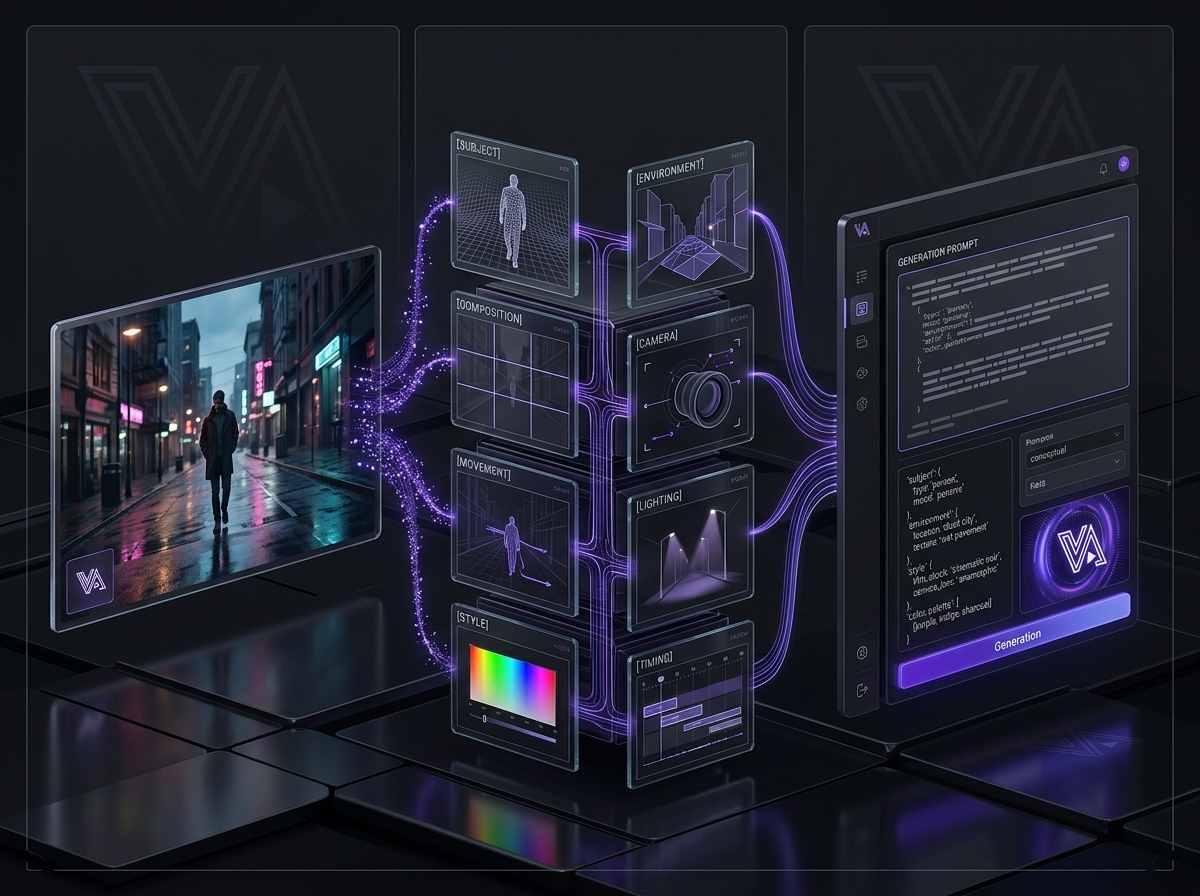
Once the reference has been analyzed, the next challenge is turning the information into a useful generation prompt.
A practical framework is:
Subject + Environment + Composition + Camera + Movement + Lighting + Style + Action + Timing
For example:
A fashion model walks slowly through a dark urban street at night, surrounded by wet reflective pavement and soft background lights. Medium tracking shot from slightly below eye level, camera moving smoothly alongside the subject as the background falls into shallow depth of field. Cool atmospheric lighting with subtle highlights reflecting from the wet surfaces, moody high-contrast cinematic aesthetic, restrained color palette, realistic motion and natural fabric movement.
Notice what this prompt does.
It doesn't just identify the subject.
It describes the visual decisions surrounding the subject.
Why Shot-by-Shot Prompts Usually Work Better
Trying to recreate an entire complex reference video with one enormous prompt can be difficult.
A better workflow is often:
Reference video → Analysis → Shot breakdown → Individual prompts → Generation → Editing
For example:
Shot 1
Purpose: Establish the environment.
Prompt:
Wide cinematic establishing shot of...
Shot 2
Purpose: Introduce the subject.
Prompt:
Medium tracking shot following...
Shot 3
Purpose: Capture the emotional moment.
Prompt:
Tight close-up with...
Each prompt has a specific visual job.
This also makes it easier to modify individual shots without rebuilding the entire sequence.
Using Reference Images With AI Video Generation
Sometimes textual prompting isn't enough.
A reference image can help establish:
Character appearance
Product appearance
Clothing
Environment
Composition
Color palette
Visual style
The exact capabilities vary between AI video platforms, but the general principle is the same:
Give the generation system stronger visual information when consistency matters.
Your workflow can therefore become:
Reference video
↓
AI video analysis
↓
Extract visual characteristics
↓
Generate reference images if needed
↓
Create video prompts
↓
Generate individual shots
↓
Edit and refine
This gives you much more control than simply asking an AI model to "make something similar."
Why Generic AI Video Analysis Often Fails
Not every AI analysis is useful for recreation.
A generic analysis may tell you:
"A man walks into a room and sits down."
Technically, that might be accurate.
But it doesn't tell you enough to reproduce the visual experience.
A recreation-focused analysis should go deeper:
What type of room?
Where is the man positioned?
What is the camera angle?
Is the camera moving?
How quickly does he walk?
What is the lighting?
What is visible in the background?
What is the color palette?
How does the camera transition?
What happens before and after the action?
Accuracy isn't enough.
The analysis needs to be useful for generation.
A Practical AI Video Analysis Workflow
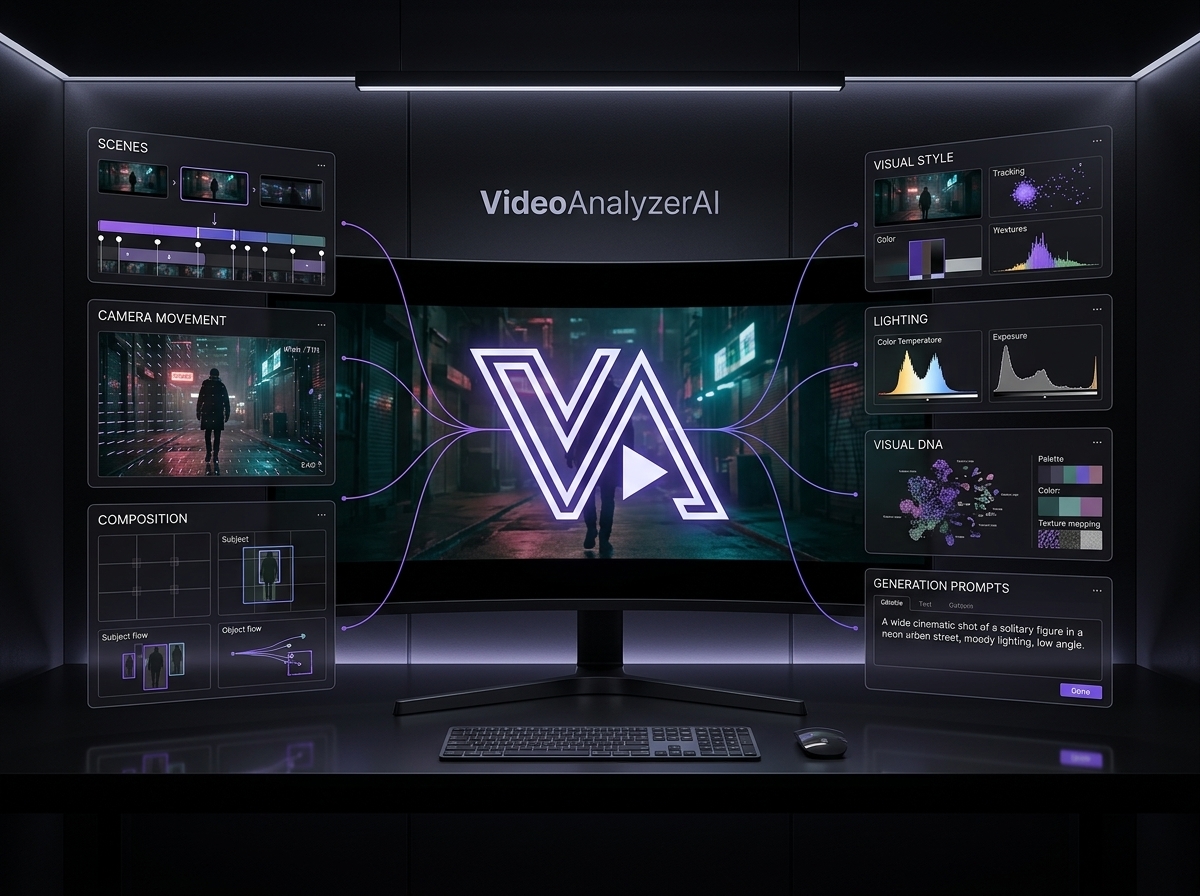
If you're trying to recreate a reference video, a simple workflow looks like this:
Step 1: Upload the reference
Start with the actual video you want to study.
Step 2: Identify the overall concept
Determine what the video is trying to communicate.
Step 3: Break it into shots
Identify scene changes and important visual moments.
Step 4: Analyze each shot
Extract:
Subject
Environment
Camera
Composition
Movement
Lighting
Style
Timing
Step 5: Identify the visual DNA
Look for recurring characteristics across the video.
Step 6: Convert the analysis into prompts
Turn the visual information into generation-ready instructions.
Step 7: Choose the appropriate generation workflow
Depending on the project, you may use text-to-video, image-to-video, video-to-video, reference images, or a combination.
Step 8: Generate and compare
Compare the generated result against the original reference.
Step 9: Refine individual shots
Don't automatically rewrite everything.
Identify exactly what is wrong.
Is the camera wrong?
The movement?
The lighting?
The subject?
The composition?
Then modify the relevant part of the prompt.
How VideoAnalyzerAI Fits Into This Workflow
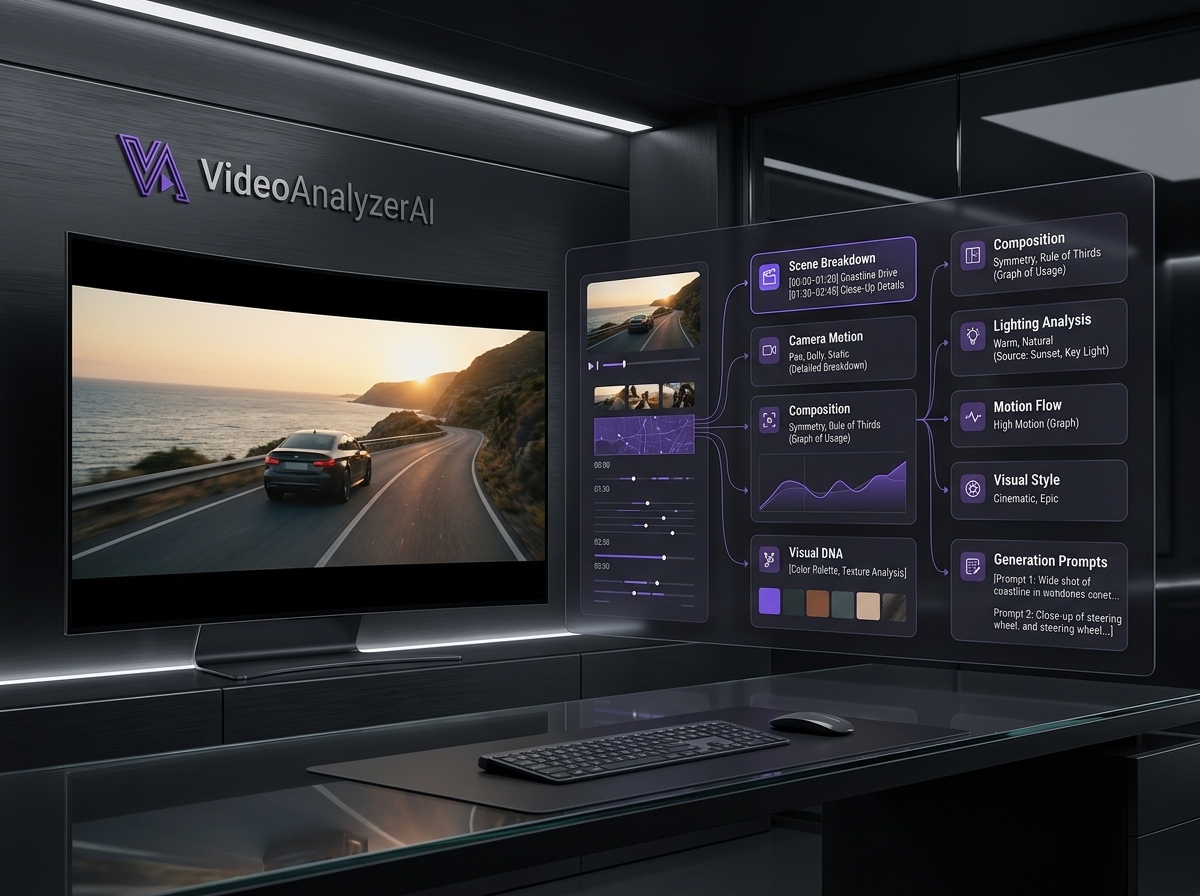
The difficult part of recreating a reference video isn't simply generating another video.
It's understanding the visual decisions behind the original.
That's the problem VideoAnalyzerAI is designed to help solve.
Instead of starting with a blank prompt box, you can use the reference video as the starting point.
The analysis can help turn the source material into a structured understanding of:
Scenes
Subjects
Camera movement
Visual style
Lighting
Composition
Motion
Timing
Visual DNA
Generation prompts
From there, the goal is to give you a much clearer starting point for recreating the concept using your preferred AI video-generation workflow.
If you're starting with a reference video and want to understand how to turn what you see into usable prompts, our guide on video to prompt is a useful next step.
AI Video Analysis vs. Simply Describing a Video
There is an important difference between describing a video and analyzing a video for recreation.
A basic description focuses mainly on what is happening.
For example:
A man walks into a room and sits down.
That's useful if you simply want to summarize the video.
But if your goal is to recreate the visual sequence with AI, you need much more information.
You need to understand how the scene is presented.
Where is the camera positioned?
Is it moving or stationary?
Is the shot wide, medium, or close?
Where is the subject positioned within the frame?
What does the environment look like?
How is the scene illuminated?
What colors dominate the image?
How quickly does the subject move?
What is happening in the background?
What creates the overall mood?
A recreation-focused analysis might therefore describe the same scene more like this:
A man enters a dimly lit modern room from the left side of the frame. The camera holds a medium-wide composition at eye level before slowly pushing forward as he approaches a chair. Soft directional light enters from a nearby window, creating subtle shadows across the room, while the darker background creates depth around the subject. His movement is slow and deliberate, giving the scene a quiet, cinematic atmosphere.
The difference is significant.
The first version tells you what happens.
The second begins to explain why the scene looks the way it does.
And that is what makes VideoAnalyzerAI valuable for recreation.
When analyzing a reference, don't stop at:
What is in the video?
Instead, ask:
How is the video presenting what is in it?
That shift from description to visual analysis is what allows a reference video to become a useful foundation for AI video generation.
What Makes a Good AI Video Analysis?
A strong analysis should be:
Specific
Avoid vague phrases such as "cinematic" when more precise visual information can be extracted.
Structured
Organize information by scene, shot, camera, subject, motion, lighting and style.
Generation-oriented
The output should be useful for creating a new video.
Consistent
Important characteristics should remain consistent across shots.
Editable
You should be able to modify one part of the analysis without rebuilding everything.
Faithful to the reference
The purpose isn't to invent a completely different video.
The analysis should capture the visual decisions that make the original reference recognizable.
The Bigger Picture
AI video generation is becoming increasingly capable.
But better generation doesn't eliminate the need for better direction.
If you have a reference video that already contains the visual language you want, the challenge becomes understanding that language.
VideoAnalyzerAI is the bridge between watching a reference and actually recreating it.
Instead of asking:
"What is in this video?"
ask:
"What visual decisions make this video look the way it does?"
That question leads to better analysis.
Better analysis leads to better prompts.
And better prompts give you a stronger starting point for recreation.
Final Takeaway
A reference video is more than a collection of scenes.
It's a combination of:
Subject.
Environment.
Composition.
Camera.
Movement.
Lighting.
Style.
Timing.
When those elements are understood individually, they can be translated into a structured AI video recreation workflow.
That's why AI video analysis matters.
It turns a reference from something you simply watch into something you can systematically study, break down, and recreate.
Watch the video. Analyze the decisions. Build the prompt. Then create.
Related Reading
If you're building a workflow around reference videos, start with:
Video to Prompt: How to Turn Any Reference Video Into an AI Video Prompt
Then continue with our guide on AI video recreation to learn how to turn the analysis into a complete recreation workflow.
Try VideoAnalyzerAI
Have a reference video you want to understand?
Upload it. Analyze it. Recreate it.
Try VideoAnalyzerAI and turn your reference video into a structured starting point for AI video creation.
CTA: Analyze Your Video →
Suggested FAQ
What is AI video analysis?
AI video analysis uses artificial intelligence to examine video content and extract information such as scenes, subjects, camera movement, composition, lighting, motion, style and timing.
Can AI analyze a video and create a prompt from it?
Yes. VideoAnalyzerAI workflow can extract visual information from a reference and transform that information into structured prompts for AI video generation.
How do I analyze a video for AI recreation?
Start by breaking the video into shots, then analyze the subject, environment, composition, camera, movement, lighting, visual style and timing of each shot. Convert those observations into generation-ready prompts. Try VideoAnalyzerAI for FREE
What should an AI video analysis include?
A useful recreation-focused analysis should include scene structure, subjects, environment, camera and composition, motion, lighting, color, visual style and timing.
Why does my AI-generated video look different from the reference?
A prompt may describe the subject without capturing the camera, composition, movement, lighting, timing and visual style of the original. Recreating those visual decisions can produce a much closer result.
Can I recreate any video with AI?
AI can help recreate many types of visual sequences, but an exact reproduction isn't always possible. Results depend on the reference, generation model, prompting, reference controls, consistency and post-production. Copyright, privacy and other rights should also be considered when using someone else's material.
Comments
Sign in to leave a comment.
No comments yet — be the first to comment.